

AVS Coin PRO
Run spot and OKX, Binance and Bybit perpetual futures strategies on Windows
AVS Coin PRO
Automated crypto spot trading Your strategy Your operating rules
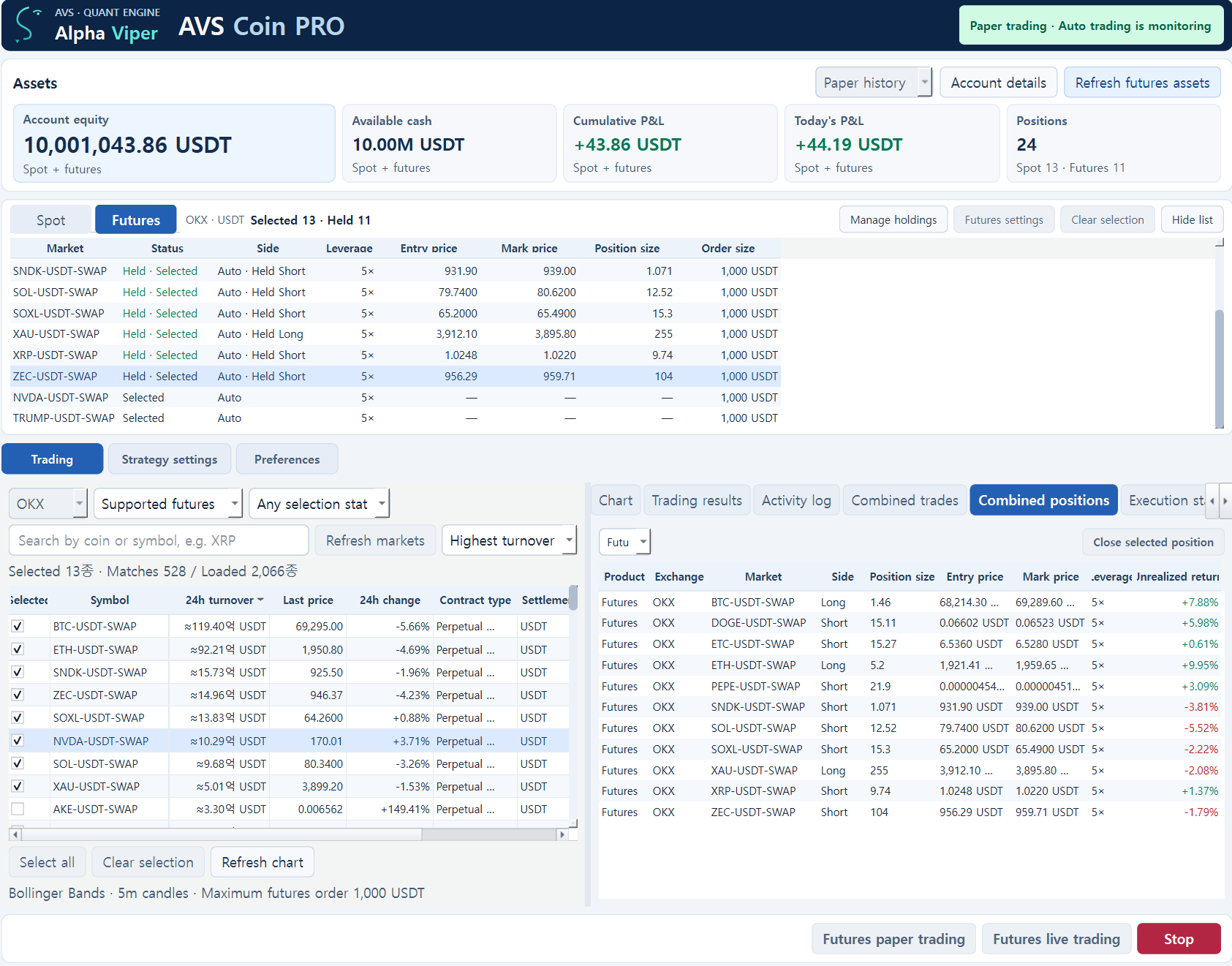
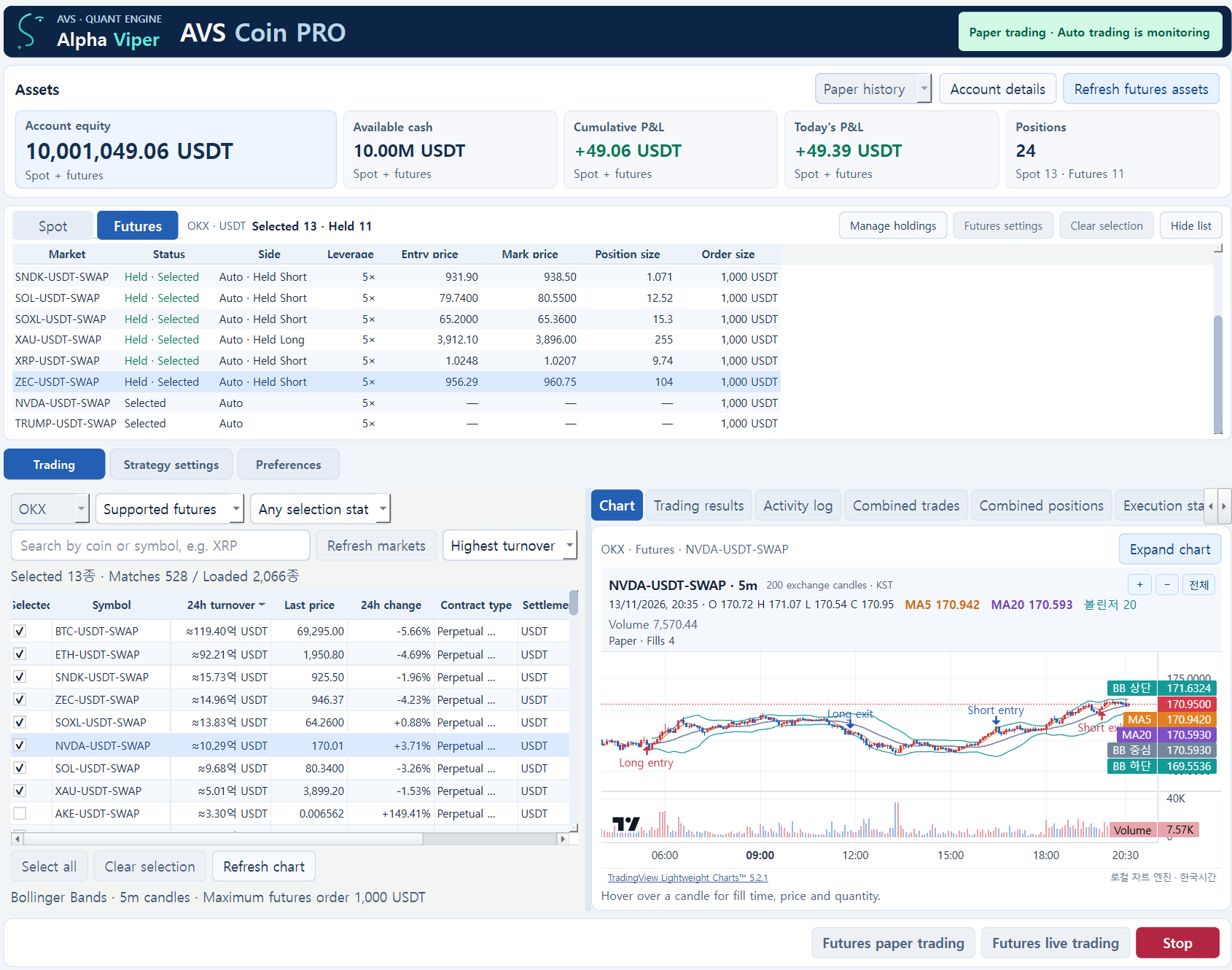
Track exchange quotes, strategy signals, orders and trading results on Windows Automate spot trades and long or short positions on supported OKX, Binance and Bybit perpetual futures
Check spot API permissions and minimum order requirements for your exchange
Spot exchange API integrations
- Upbit
- Bithumb
- Coinone
- Binance
- OKX
- Bybit
Spot automation uses KRW on Korean exchanges and USDT on overseas exchanges Select multiple USDT-settled perpetual futures on OKX, Binance and Bybit for automated trading and set isolated leverage for each contract Orders are subject to account settings and API permissions
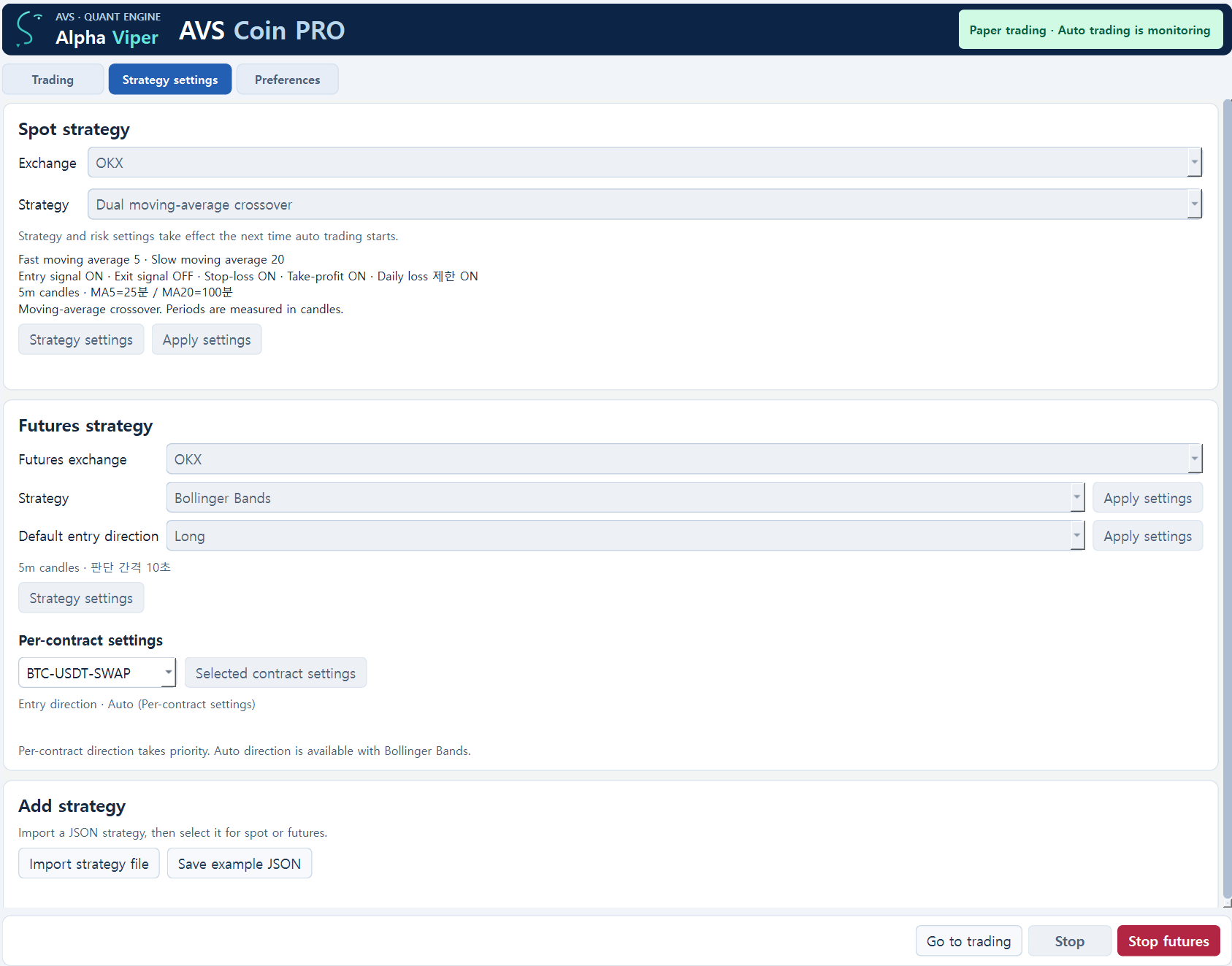
- Six indicator-based strategies
- Choose moving-average crossover, RSI recovery, Bollinger Bands, volume breakout, MACD or stochastic strategies, then adjust their parameters
- Exchange and multi-asset management
- Manage multiple spot assets and view their quotes on one selected exchange
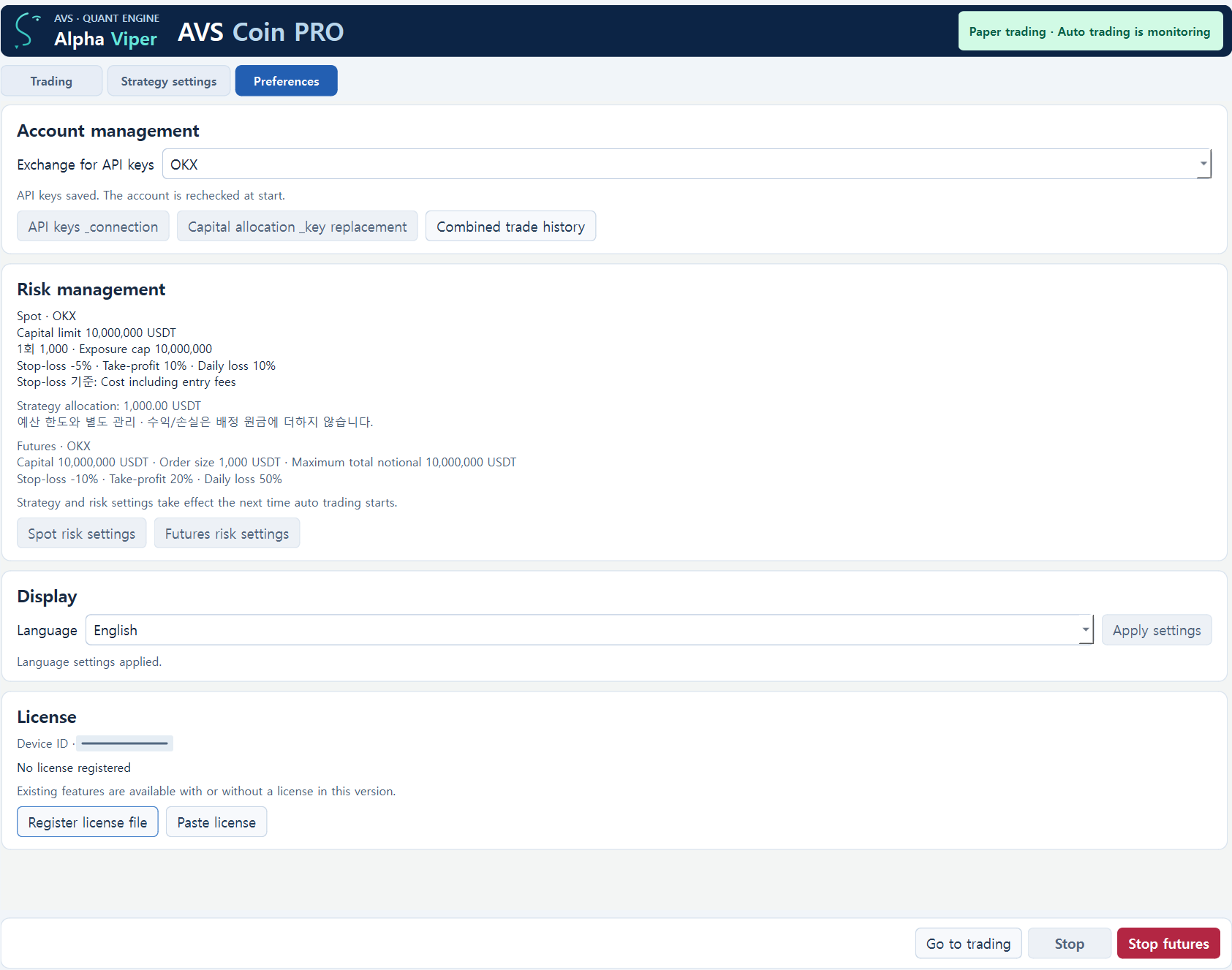
- Capital and loss-limit settings
- Set the operating budget, per-order amount, total position cap, stop-loss, take-profit and daily loss limit
- Separate paper and live modes
- Use paper trading without API keys, or connect your own account and explicitly start live trading
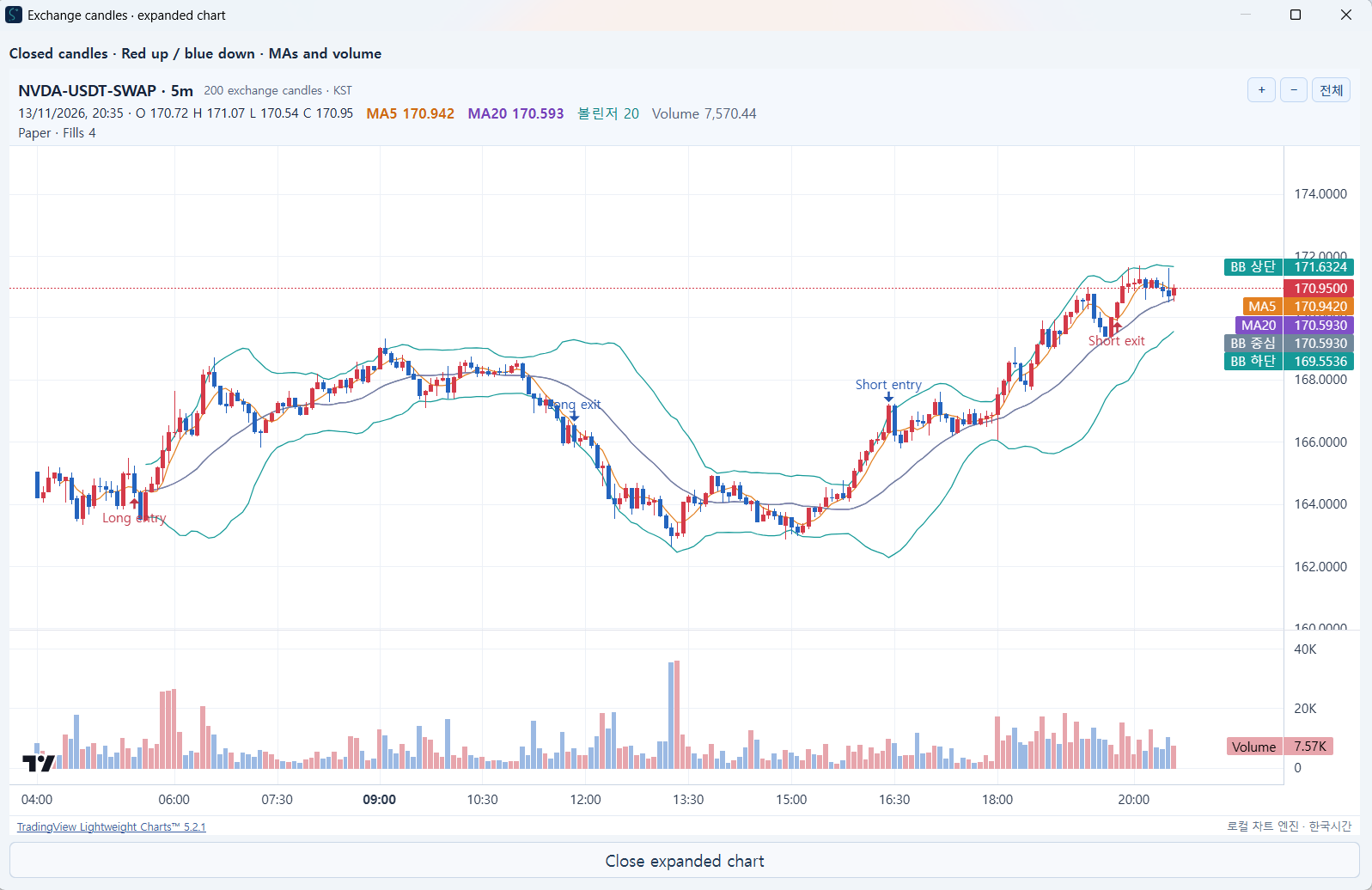
- Candlesticks, indicators and volume
- View the selected exchange's OHLCV candles, moving averages and trading volume together
- Key storage and trading records
- Keep API keys in Windows secure storage and review orders, fills and execution logs
Cryptoasset price movements can cause capital loss Strategies and automated trading do not guarantee returns Stop-loss and take-profit checks depend on the program running and remaining connected; rapid moves or network failures can cause losses beyond the configured limit Stopping or closing the program does not sell holdings or cancel accepted orders